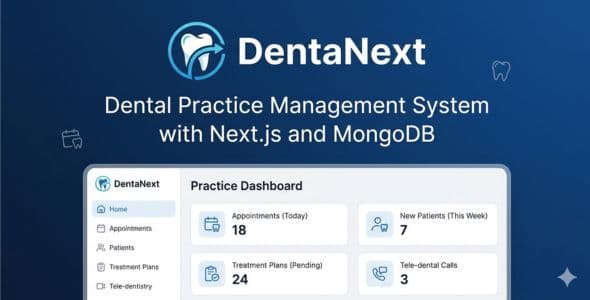
DentaNext - Dental Practice Management System with Next.js and MongoDB
DentaNext - Dental Practice Management System with Next.js and MongoDB is a complete dental practice management system built for dental clinics, group practices, and specialty offices. Powered by Next.js 16, React 19, TypeScript, and MongoDB, it combines interactive clinical charting (odontogram, periodontal charts, specialty records), scheduling, billing, patient portal access, AI-assisted tools, and multi-language support in one modern web application.
Live Demo
Demo URL: https://dental-next-alpha.vercel.app/login
Demo Credentials:
- Admin: admin@dentalpro.com / password123
- Dentist: dentist@dentalpro.com / password123
- Staff: staff@dentalpro.com / password123
- Patient Portal: patient@dentalpro.com / password123
Key Features
Dental Examinations
- Comprehensive dental exam records with extraoral and intraoral assessment
- Integrated interactive odontogram with tooth findings, surfaces, and mobility
- Chief complaint, diagnosis, and treatment notes
- Filter by patient, date, today/week/month
- Combined view/edit workflow with printable exam summaries
Interactive Dental Chart (Odontogram)
- FDI tooth notation with anatomical SVG tooth rendering
- Surface-level charting (mesial, distal, occlusal, buccal, lingual)
- Quick condition tagging, mobility tracking, and auto-save
- Statistics panel, condition distribution bar, and filterable findings table
- Shared odontogram experience across dental exam and chart modules
Treatment Plans
- Multi-phase treatment planning with procedure line items
- Tooth-specific planned work and fee estimates
- Status tracking from draft through accepted and completed
- Print-ready treatment plan documents
Dental Procedures
- Record completed and scheduled procedures with tooth, surface, and fee details
- Link procedures to appointments and invoices
- Filter by patient, dentist, status, and date range
- Print procedure records for patient files
Periodontal Charting
- Full periodontal charting with probing depths and bleeding points
- Per-tooth periodontal data entry and review
- Print support for periodontal records
Specialty Dental Modules
- Endodontics - Root canal records, canal measurements, and visit notes
- Oral Surgery - Extraction and surgical case documentation
- Implants - Implant placement, brand, size, and follow-up tracking
- Orthodontics - Braces and aligner treatment progress records
Dental Imaging
- Upload and manage intraoral, panoramic, and other dental images
- Link imaging studies to patients and clinical findings
- Image metadata, notes, and printable imaging reports
Prescriptions and Lab Orders
- Dental prescription management with medication details and instructions
- Dental lab order tracking for crowns, bridges, dentures, and appliances
- Print prescriptions and lab slips for patients and labs
Visit Workflow Hub
- Appointment detail page connects the full patient visit
- Start dental exams and procedures directly from an appointment
- Generate invoices from completed procedure work
- Multi-chair operatory scheduling support
Authentication and Security
- Secure login with email and password (NextAuth.js)
- Role-based access control (Admin, Dentist, Staff, Patient)
- Password hashing with bcrypt
- Protected routes and session management
Patient Management
- Complete patient records with medical and dental history
- Search and filter by name, ID, and contact details
- Emergency contacts and demographic information
- Create, view, edit, and delete with confirmation
Appointment Management
- Advanced scheduling with calendar views
- Time slot management and conflict detection
- Appointment types, duration, operatory assignment, and status tracking
- Rescheduling with patient notifications
- Role-based visibility for dentists and staff
Billing and Invoicing
- Create and manage patient invoices and service items
- Generate invoices from completed dental procedures
- Print-ready invoice layout
- Direct patient billing (insurance claim processing is not included)
Patient Portal
- Secure patient login to view appointments, records, and treatment information
- Access dental procedures, imaging, prescriptions, and treatment plans
- Profile management for patients
Dental Analytics
- Production reports by procedure category
- Monthly trend charts and top procedure breakdowns
- Dashboard metrics for exams, procedures, and clinic activity
- CSV export from analytical reports
Clinical Printing
- Print dental exams, charts, treatment plans, procedures, prescriptions, and lab orders
- Print periodontal, endodontic, surgical, implant, orthodontic, and imaging records
- Consistent branded print layout across clinical documents
AI-Powered Features
Optional AI integration — buyer provides their own API key. Configure in Settings → AI Settings (one active model at a time):
- OpenAI (gpt-5.6-sol) — text and medical image analysis (vision)
- DeepSeek (deepseek-v4-flash) — text-based clinical AI only (lower cost, long context)
AI modules (use whichever provider you activate):
- AI Medical Assistant: Clinical queries, symptom analysis, and treatment suggestions
- AI Treatment Plans: Evidence-based treatment plan drafts
- AI Drug Interaction Checker: Check medication interactions before prescribing
- AI Medical Image Analysis: Analyze dental radiographs and medical images — requires OpenAI (gpt-5.6-sol) active
- AI Voice Input: Voice-to-text for hands-free charting notes
- AI Report Generator: Generate comprehensive clinical reports
AI API Costs (Not Included in Purchase)
AI features in DentaNext are optional. The purchase price covers the software only — it does not include AI API access or usage fees.
To use AI tools, the buyer must:
- Create an account with OpenAI or DeepSeek (third-party providers)
- Purchase or enable billing with that provider and obtain an API key
- Pay the provider directly for API usage (typically pay-as-you-go, based on how much the clinic uses)
- Enter the API key in Settings → AI Settings inside DentaNext
No API keys, credits, or subscriptions are bundled with this item. AI costs vary by provider and usage volume.
Additional Modules
- Documents - Store and manage patient documents
- Telemedicine - Video consultations, sessions, waiting room, and prescriptions
- Analytical Reports - Financial, clinical, operational, and appointment analytics
- Notifications - System and appointment notifications
- Dentists and Staff - Manage dentist and staff accounts (admin only)
- AI Tools - AI Assistant, Treatment Plans, Drug Interaction, Image Analysis, Voice Input
- Settings - Clinic profile, currency, timezone, working hours, and AI configuration
Dashboard
- Dental clinic statistics (patients, appointments, exams, procedures, specialty counts)
- Clinical alerts and upcoming appointments
- Recent activity feed
- Today's revenue and weekly production highlights
Technology Stack
- Next.js 16 - App Router, Turbopack
- React 19 - Latest stable
- TypeScript - Full type safety
- NextAuth.js - Authentication
- MongoDB + Mongoose - Database
- Tailwind CSS 4 - Styling
- Recharts - Analytics charts
- next-intl - Multi-language support (EN/ES/FR)
Responsive Design
- Fully responsive for desktop, tablet, and mobile
- Mobile-optimized collapsible sidebar
- Touch-friendly interface
What's Included
- Complete source code
- Comprehensive HTML documentation (public/documentation.html)
- Database models and API routes
- Environment configuration examples
- Installation and seed script for demo data
Quick Start
- Install Node.js 18+ and MongoDB
- Run npm install
- Configure .env.local (MONGODB_URI, NEXTAUTH_URL, NEXTAUTH_SECRET)
- Run npm run seed for demo accounts and sample data
- Run npm run dev to start the development server
- Configure OpenAI or DeepSeek API key in Settings → AI Settings (optional, for AI features). Use OpenAI for image analysis; DeepSeek for text-only AI at lower cost.
Perfect For
- General and specialty dental clinics
- Multi-provider dental group practices
- Dental software developers and agencies
- Clinics that need odontogram charting, scheduling, and billing in one system
Important Notes
- API keys and AI usage fees are not included — see AI API Costs above. Buyer pays OpenAI or DeepSeek directly.
- MongoDB required (local or Atlas)
- Node.js 18+ required
- Run npm run seed to generate demo accounts
- Insurance claim processing is not included; billing supports direct patient invoicing
Transform your dental practice with a modern, full-featured management system. Get DentaNext today!