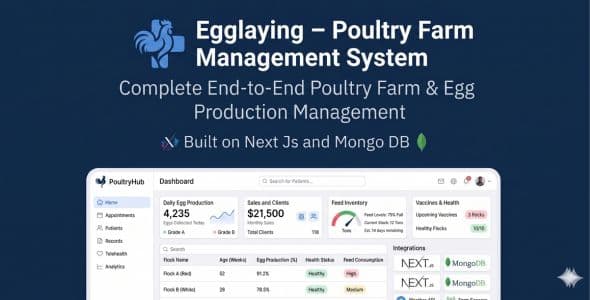
Egglaying – Poultry Farm Management System | Eggs, Sales, Vaccines, Feed, Clients | Next.js MongoDB
Run layer-house operations from one dashboard. Manage flocks, daily egg production and sales, feed and medicine stock, vaccination schedules and reminders, clients and suppliers, and role-based access for your team.
Live preview & demo access
Try the application online before you buy: https://egglaying.vercel.app/
Sign in at /auth/signin using the test accounts below.
Demo credentials
- Admin — admin@egg.com — password 123456
- Manager — manager@egg.com — password 123456
- Worker — worker@egg.com — password 123456
Admin: full configuration and users. Manager: operations and reports. Worker: flock-scoped daily data entry.
What you get
- Complete Next.js (App Router) source code — TypeScript, Tailwind CSS
- MongoDB data models and API routes
- NextAuth.js credential authentication
- next-intl translations (EN / BN / AR)
- Seed scripts for admin and sample farm data
- Static HTML documentation: /documentation.html (install, deploy, and user guide)
Core features
Flocks & production
- Flock profiles, breeds, schedules, health, and income/expense
- Egg records by flock: quantity, quality, production trends
- Egg sales tracking and commercial workflows
Feed, medicine & health
- Feed stock, purchases, usage, and costs
- Medicine inventory and usage
- Vaccination schedules, doses, and dashboard reminders
Business & people
- Clients and suppliers (where role allows)
- Reports and analytics (role-based)
- User management: Admin, Manager, Worker with scoped navigation
Experience
- Responsive layout: sidebar navigation, dashboards, mobile-friendly menus
- Language switcher; admin tools for translation files where applicable
Technology stack
- Framework: Next.js (App Router), React 19, TypeScript
- Styling: Tailwind CSS
- Database: MongoDB with Mongoose
- Auth: NextAuth.js
- i18n: next-intl
Server requirements
- Node.js 18 or newer (LTS recommended)
- MongoDB — Atlas or self-hosted (connection string)
- Modern browser for end users (Chrome, Firefox, Safari, Edge)
Installation (summary)
- Extract the package and run npm install
- Create .env.local with MONGODB_URI, NEXTAUTH_SECRET, and NEXTAUTH_URL
- Run npm run seed:admin for the first admin user (optional sample data: npm run seed:sample)
- Development: npm run dev — Production: npm run build then npm start
Full steps, environment variables, and troubleshooting are in the bundled README and /documentation.html.
Documentation & support
After deployment, open https://yourdomain.com/documentation.html for installation, deployment, and end-user instructions.
For purchase-related help, use the Comments or Support tab on this Codecanyon item page. Include your purchase code, steps to reproduce, and browser/OS when reporting issues.
Note: Demo passwords match the default seed users (123456). Change all defaults before production use.